Mark the moments
Place markers where the viewer needs context, a transition or a reveal. Note the available seconds at each marker. This gives the voice generator a practical target rather than a paragraph that may run across several shots.
Editing workflow
A voice generator can help you draft narration for edits without recording every revision. Write for the timing of the cut, then listen and adjust the script before you commit it to a sequence.
Most edits start with footage, a rough sequence and a decision about where speech should sit. Keep that order: the voice should serve the picture, not dictate every cut.
Place markers where the viewer needs context, a transition or a reveal. Note the available seconds at each marker. This gives the voice generator a practical target rather than a paragraph that may run across several shots.
Draft one short line per beat and read it aloud at an ordinary pace. Remove words that repeat what the image already shows. For quick edits, leave space after an important phrase so the next visual can register.
Generate a draft, place it on the timeline and listen against music, effects and the original audio. If a line ends late, shorten the wording or move the cue; speeding up speech is rarely the cleanest first fix.
Use generated speech as a draft track between script and final mix. These nearby guides cover different decisions you may face while making edits.
Compare sample voiceover ideas before deciding what tone suits your sequence.
Start with script structure when your main task is turning written lines into speech.
Consider vocal timing and arrangement separately when the track, rather than the picture, leads the project.
The useful comparison is not whether an edit has more audio. It is whether the added voice makes its meaning clearer without crowding the pictures.
Picture-led draft
A title card explains the setup; viewers must read while the first shot plays.
Voiced revision
A brief spoken setup lets the first shot stay visible. Keep on-screen text if viewers may watch without sound.
Picture-led draft
A hard cut changes location with no verbal cue.
Voiced revision
A short bridging line can explain the change without covering the next scene's natural audio.
Picture-led draft
Music carries the sequence, but a long caption interrupts the rhythm.
Voiced revision
One sentence can cross a few cuts, provided its final word lands before the next key moment.
Picture-led draft
Text names the result before the viewer sees it.
Voiced revision
A line can set up the reveal, then stop so the visual delivers the answer.
Picture-led draft
Meaning depends on reading small or fast-moving text.
Voiced revision
Speech offers another way to follow the story; captions still matter for sound-off viewing.
Picture-led draft
Changing a caption affects screen space and shot composition.
Voiced revision
Changing the spoken draft affects timing, pronunciation and the mix, all of which need another playback.
A voice generator supplies a candidate track, not a finished edit. Check these limits before treating a draft as the final deliverable.
The tool does not know which expression, action or pause matters most in your footage. A fluent line may still arrive at the wrong moment.
WorkaroundPlace the speech on the timeline and review it against the actual shots.
Names, abbreviations and unusual terms may need a different spelling or a rewritten line. Do not assume the first take is accurate.
WorkaroundListen closely to proper nouns and revise the script where needed.
A voice draft may compete with music, dialogue or sound effects even when it sounds clear on its own.
WorkaroundCheck levels in context and test the sequence on more than one playback device.
A generated track does not establish permission to imitate a person or use a voice in every project.
WorkaroundReview the applicable terms and obtain consent where a recognizable person's voice is involved.
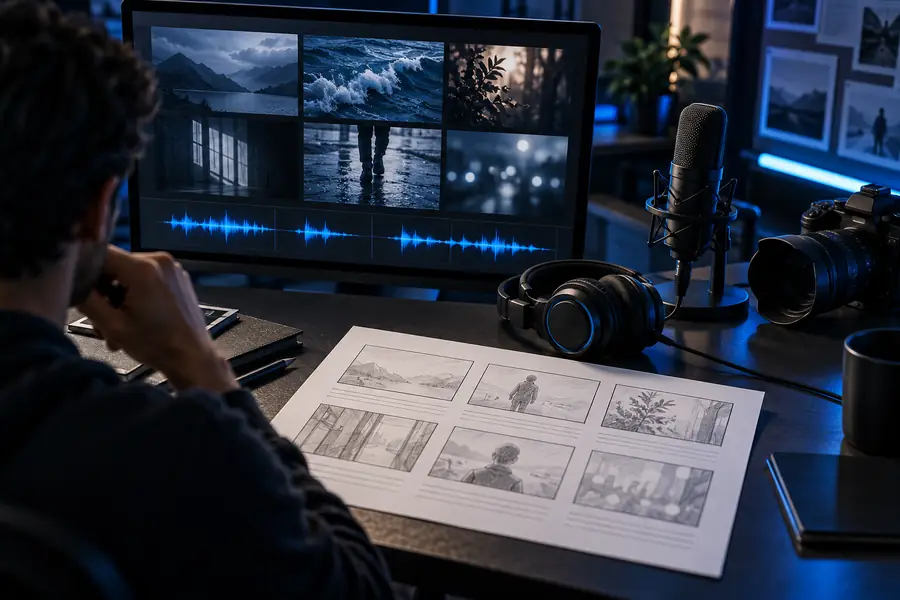
These images illustrate a workflow comparison, not an actual audio result. Judge the change by playing both versions of your own edit.
Start with the shortest useful sentence. A voice generator for edits is most helpful when you can compare that sentence with a real stretch of footage, trim what runs long and leave room for the scene to speak.
Write a short line for a specific point in the sequence, create a draft voice track and place it beside your footage. Play the full section rather than listening to the voice alone. Adjust the words or cue point until the line supports the cut.
For a footage-led edit, make a rough cut first so you know how much time each line has. For an explainer built around narration, a draft script can guide the initial assembly. Either way, expect to revise the wording once picture and sound meet.
Shorten the sentence before trying to make the speech faster. Separate competing ideas into different moments and leave a pause near a visual reveal. Then listen to the line with the surrounding music and effects.
Yes, if viewers need to understand the edit while sound is off or cannot hear the narration. Check that captions remain readable over moving footage and do not obscure essential visual details. Match them to the final spoken wording, not an earlier script draft.
No. A line that sounds clear in isolation can be masked by music or overlap dialogue once it is on the timeline. Review pronunciation, timing and levels in the complete edit before publishing.